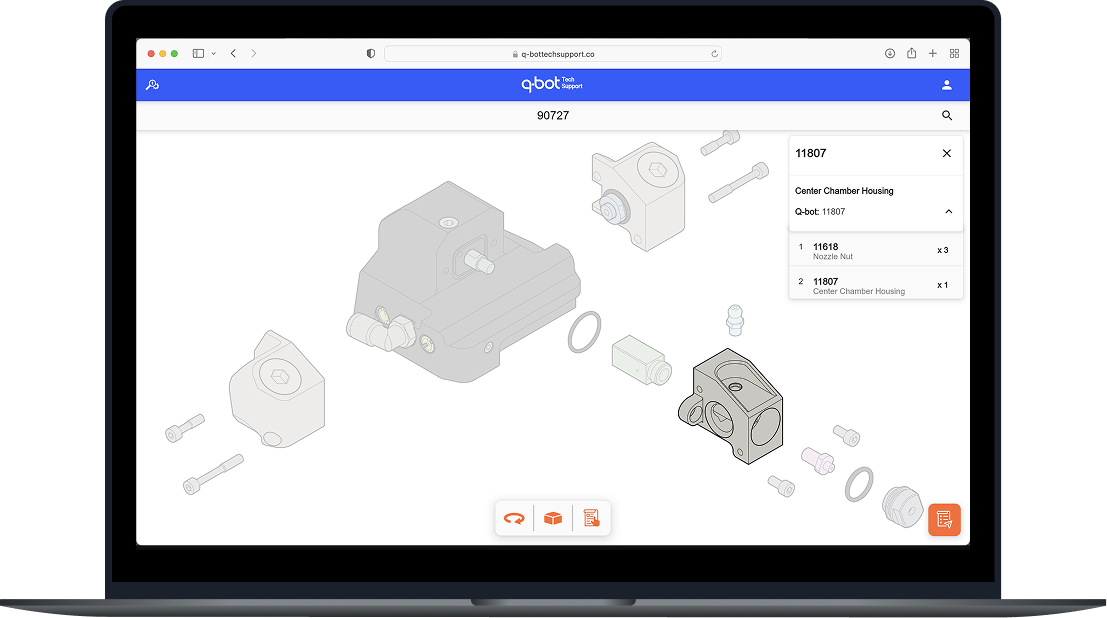
Reducing equipment faults by 95% through improved assembly guidance and information design.
Q-Bot’s installation teams rely on a spray nozzle composed of a complex multi-part assembly, designed for reliable performance in real-world field conditions where consistent execution is critical to scaling robotic retrofit.
Installers had limited and fragmented reference materials:
This created a disconnect between:
As a result, mis-assemblies and incorrect part orders were common, which directly impacted onsite performance.
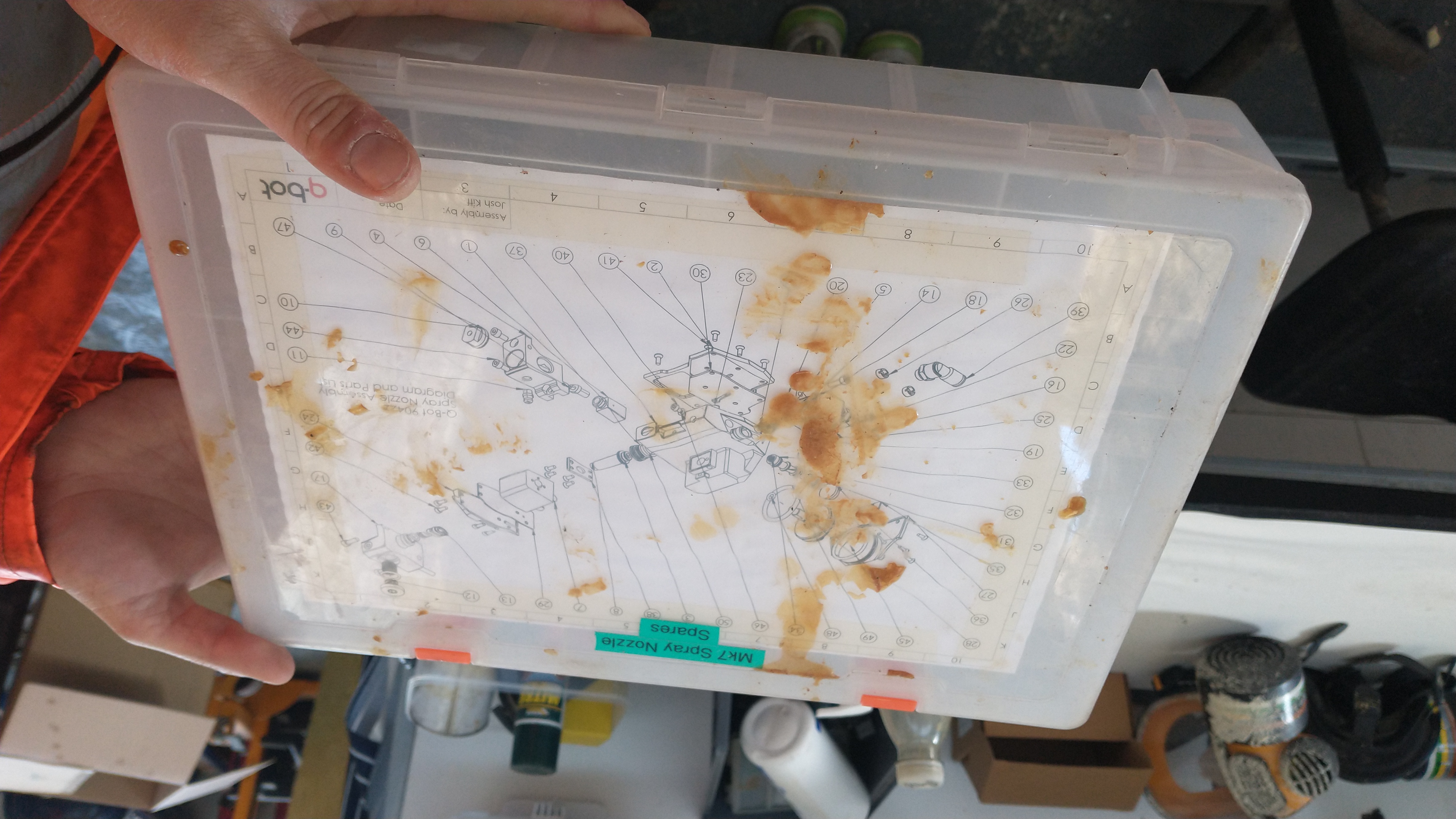
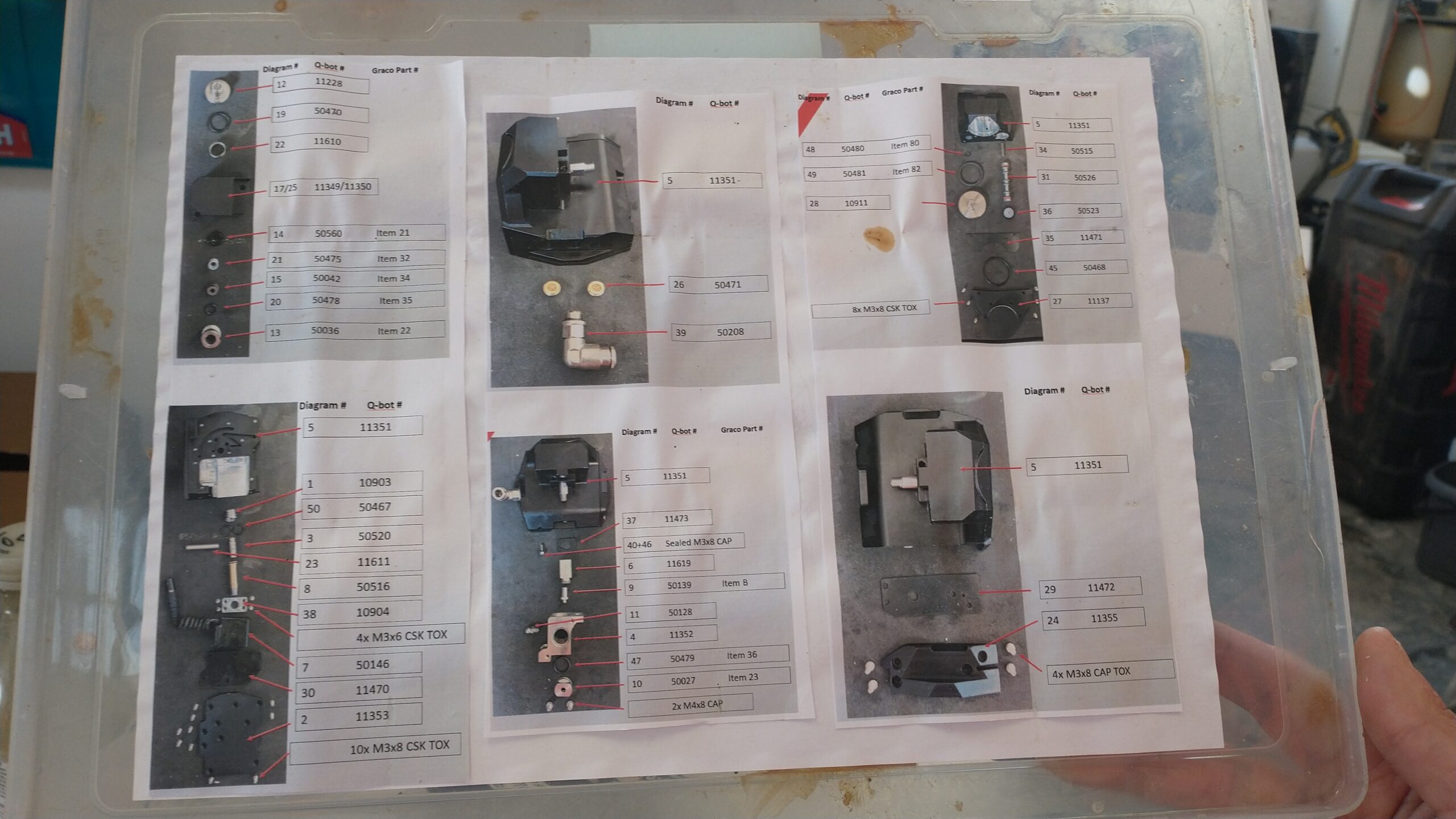
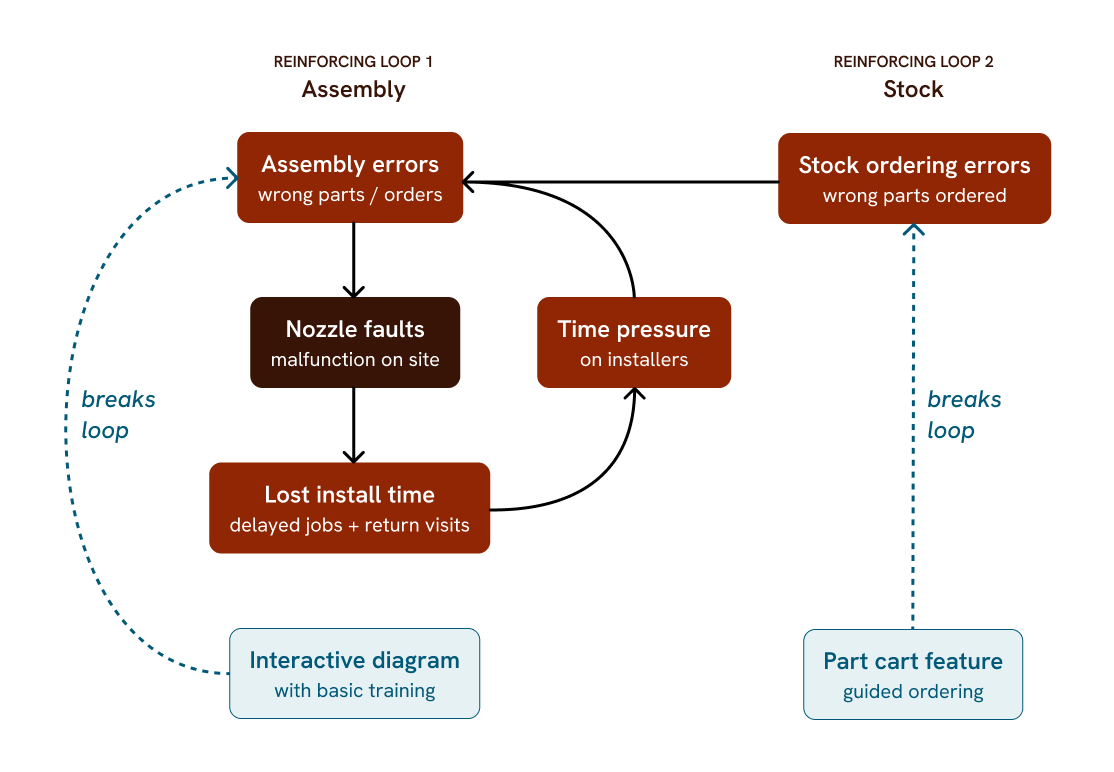
Frequent nozzle faults were not isolated issues. They were the result of a negative reinforcing loop: errors → downtime → incorrect fixes → repeated errors.
The problem wasn't installer capability, it was the information environment. The existing diagrams were not convenient to use and asked the installers to remember too much at once.
I mapped the main reinforcing loop that drove faults and the points where we intervened.
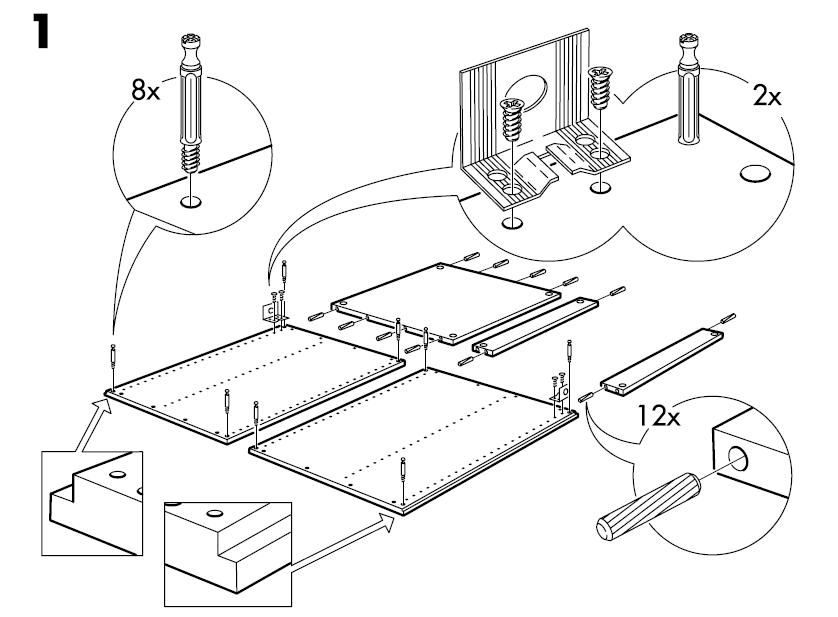
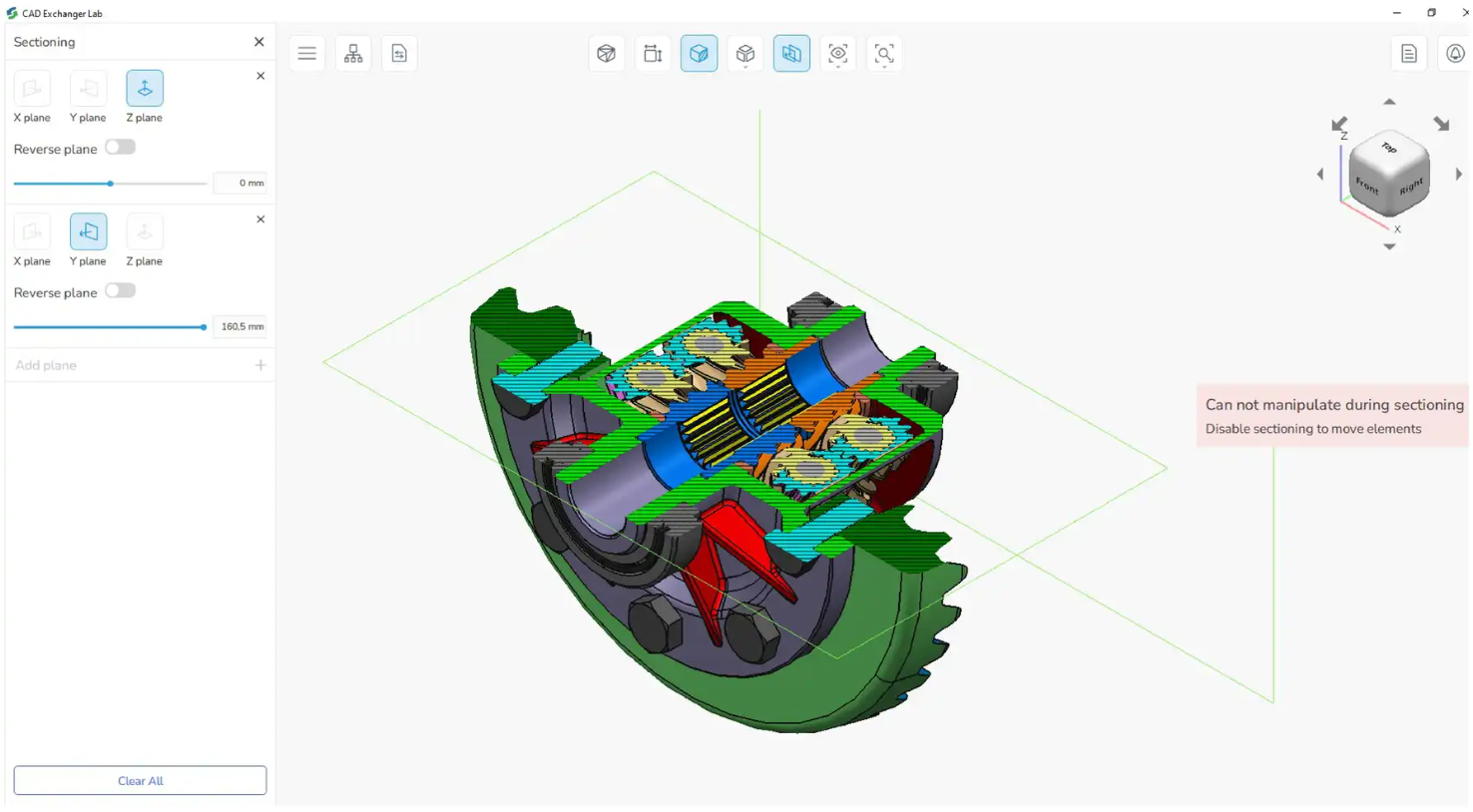
I researched how others solve this for non-experts: IKEA guides, CAD tools. The insight that shaped everything: visual, step-revealed instruction beats dense reference mid-task.
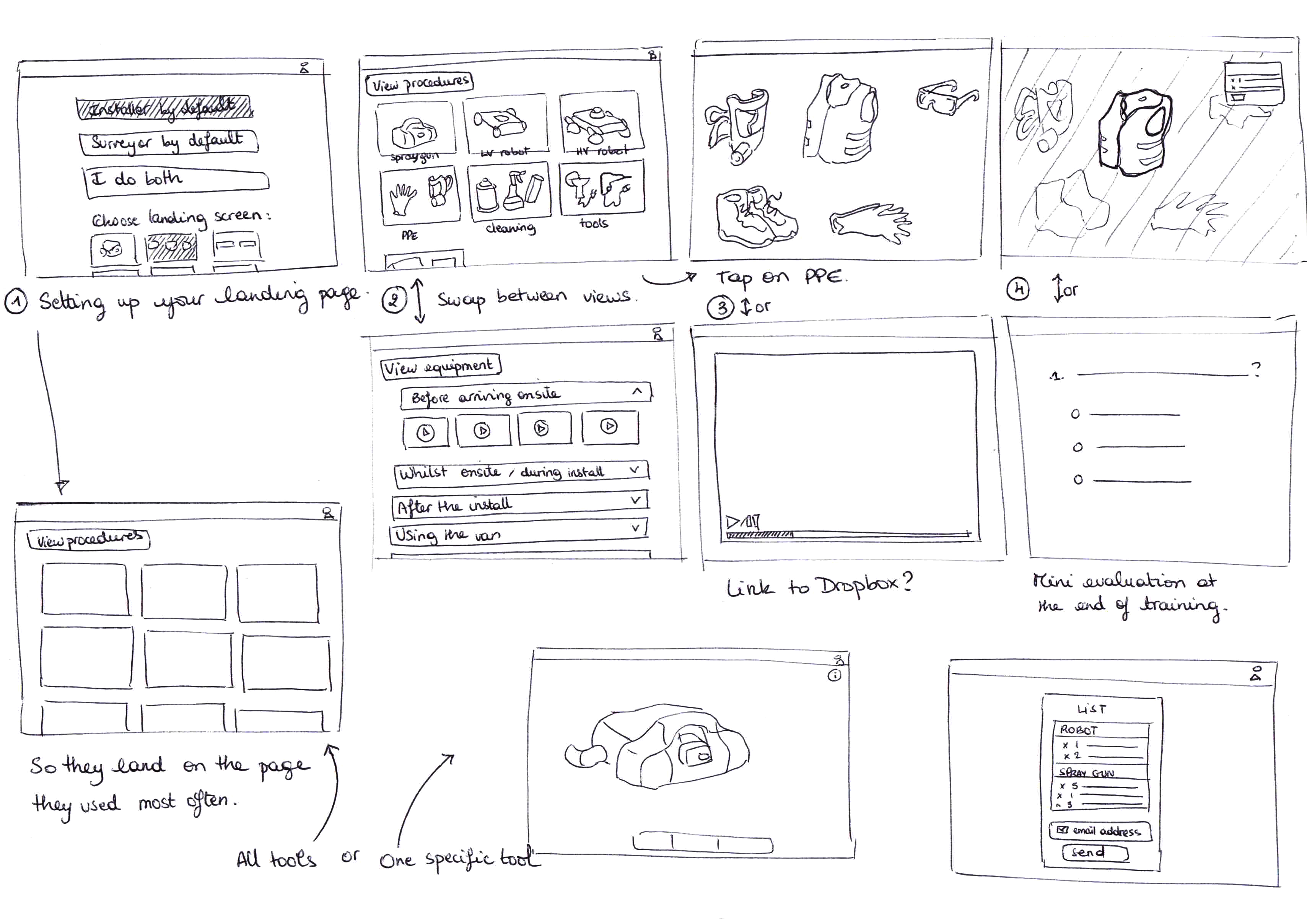
I mapped the full onsite equipment ecosystem to ensure any solution would scale beyond the spray nozzle. Then, we ran a value/cost prioritisation exercise to focus development on high-impact, low-complexity features first.
We deprioritised visual maintenance walkthroughs due to high effort to produce and low impact on resolving faults, and focused first on shipping part-ID search.
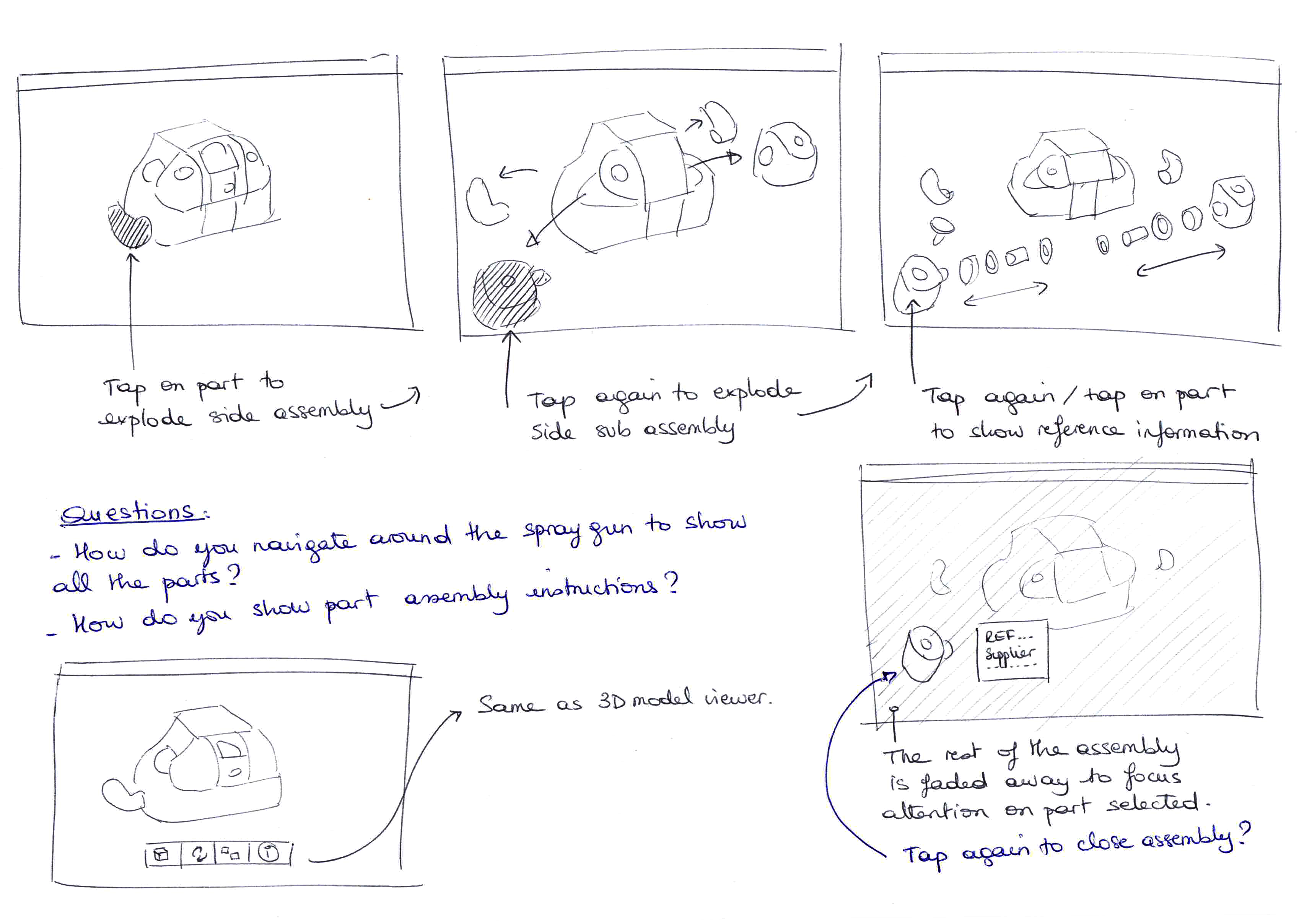
A 3D viewer would have meant complex API integration, so I used three fixed views instead. The constraint turned out to make the tool faster to use.
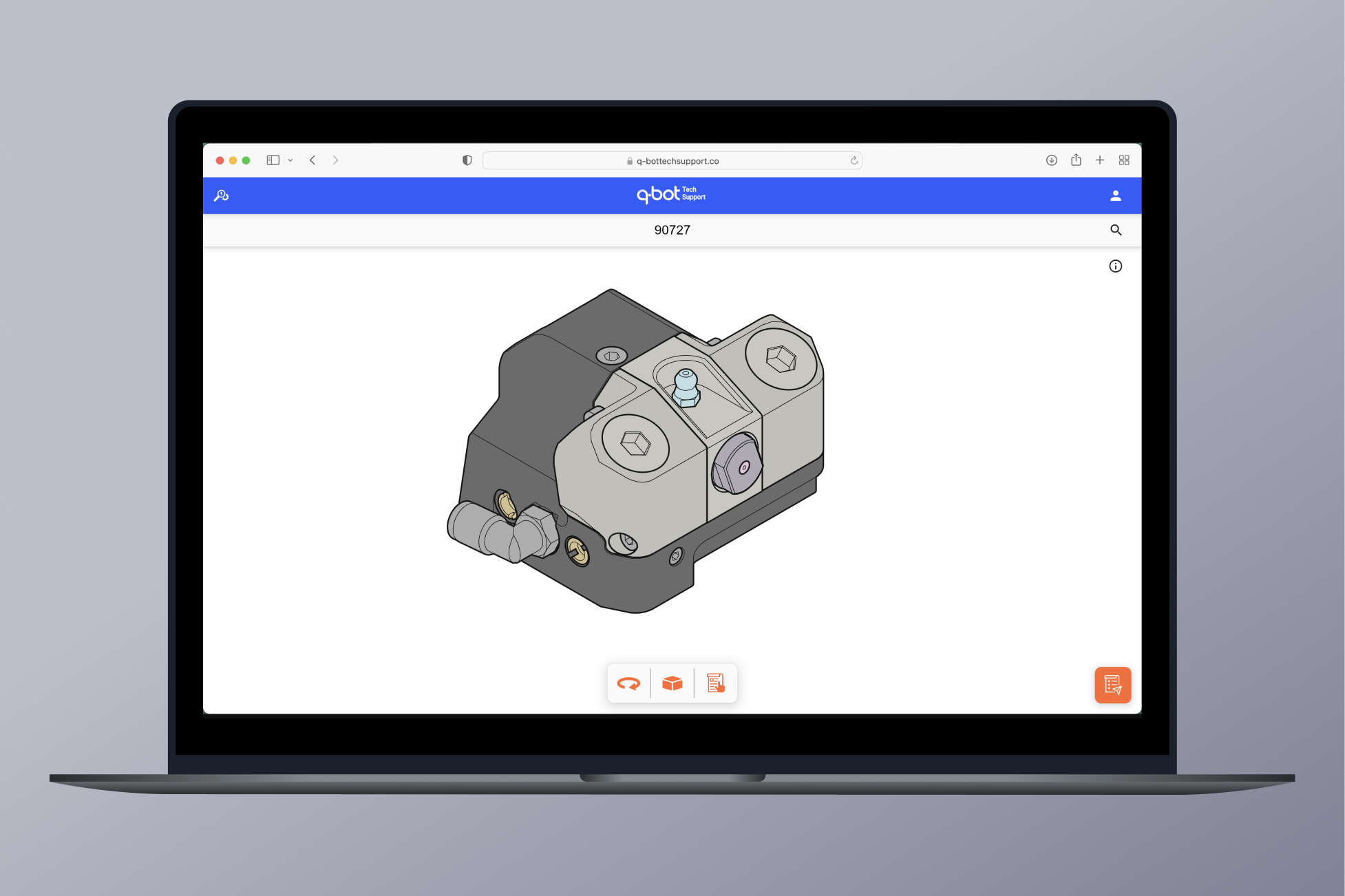
I simplified navigation to three fixed perspective views - front, bottom and top - keeping every component visible within Flutter's constraints. For task-focused assembly work, fixed views are quicker to navigate than free rotation: the user isn't manipulating a model, they're finding a part. And because the guidance is visual rather than written, it works regardless of the user's first language, so installers across the team could use it equally well.
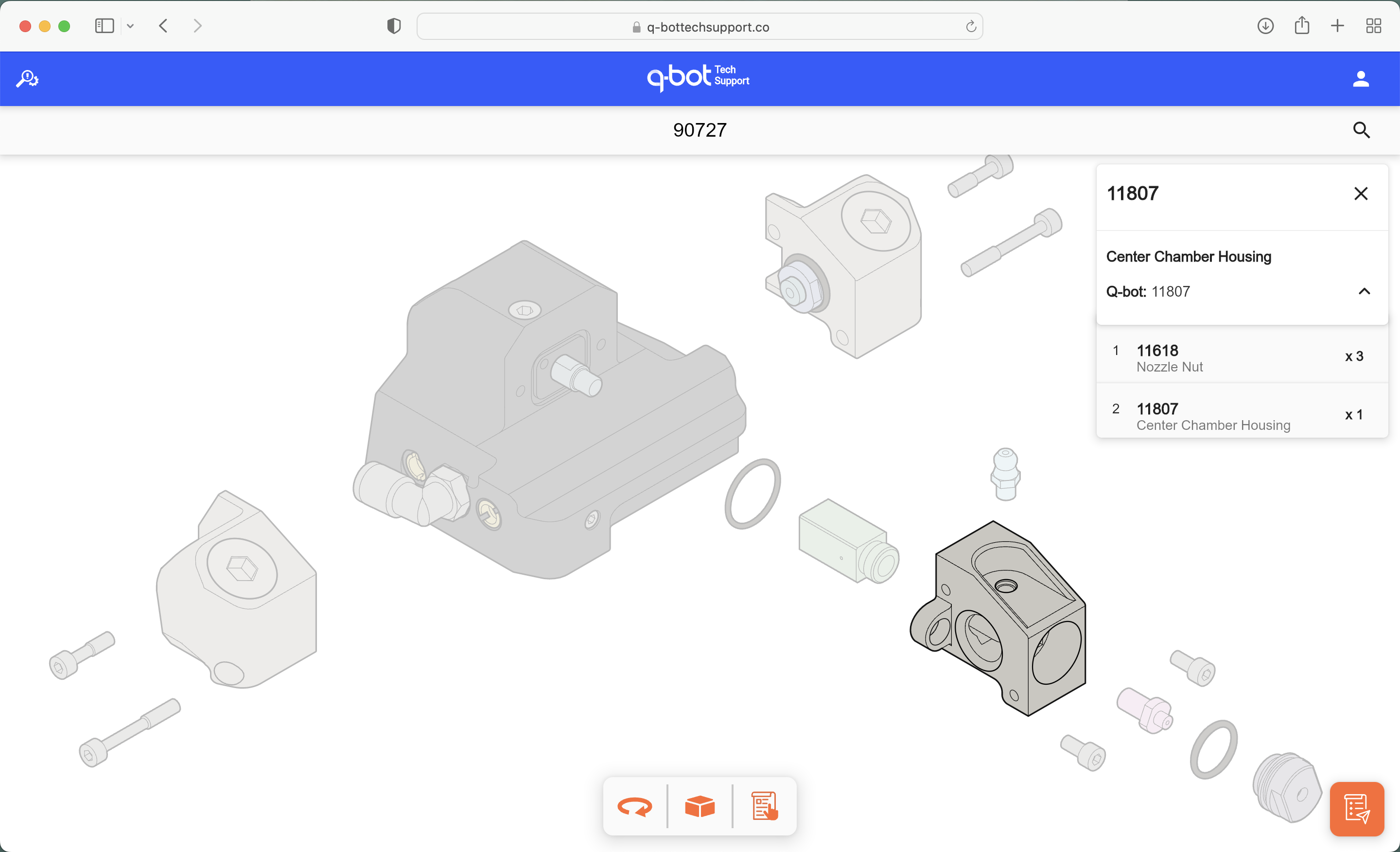
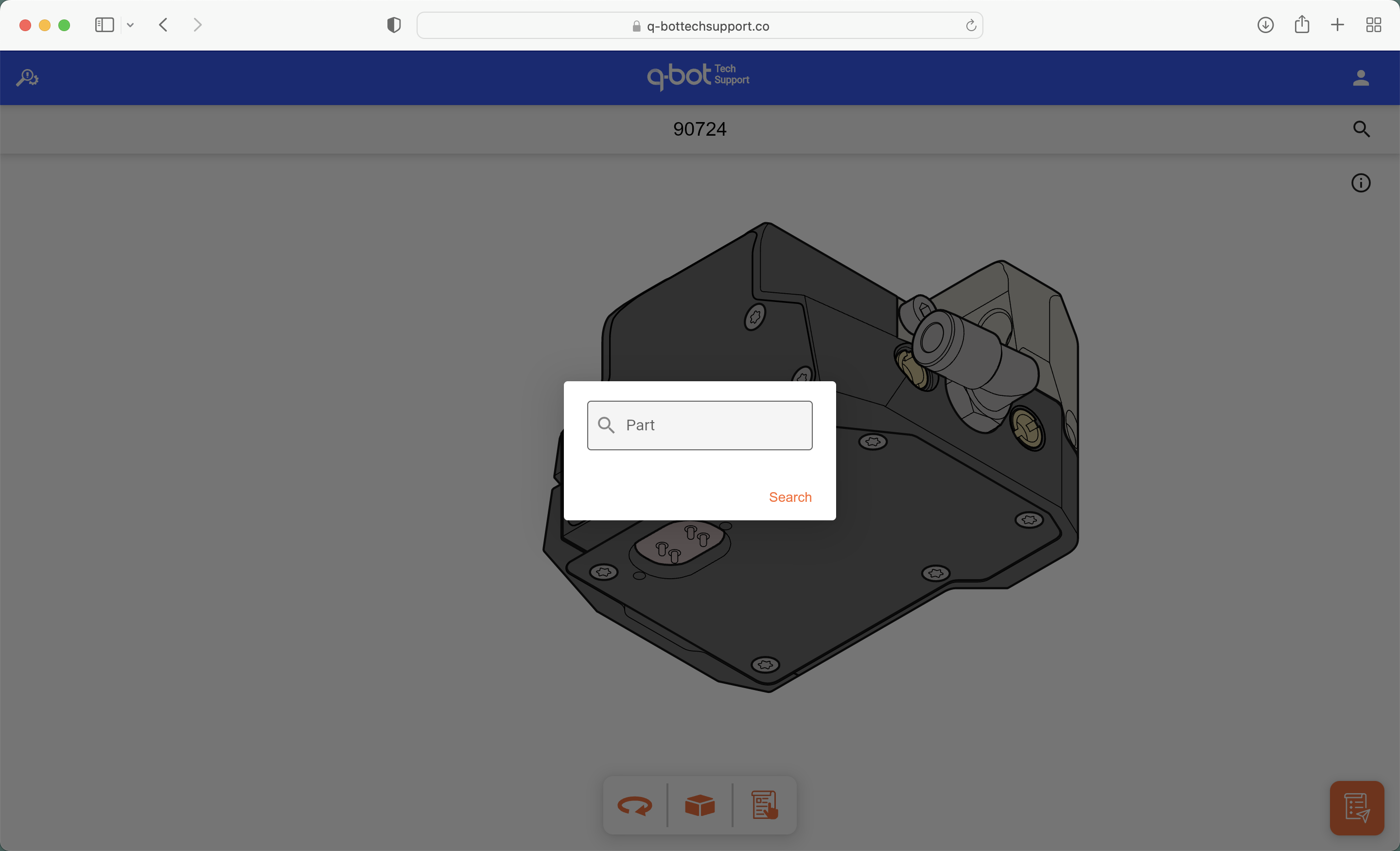
As a result, I designed an interactive parts diagram system that:
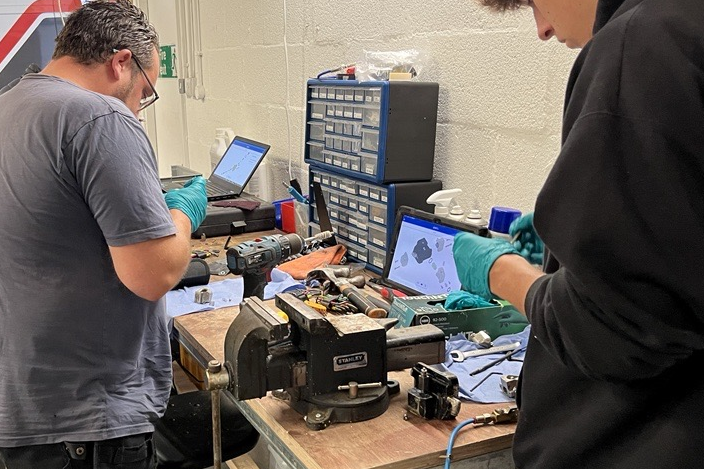
It's made a big difference to how we train new installers, they pick up the assembly much faster. — Dan, Training Manager, Q-Bot
Designing the right information environment can significantly reduce mistakes without changing the job-to-be-done. — Key takeawayNext project →
Outside of work, I'm currently building side projects and am always happy to discuss or get involved in problem-solving challenges. Have something in mind? Get in touch.
Email me